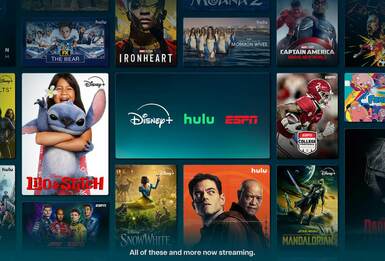
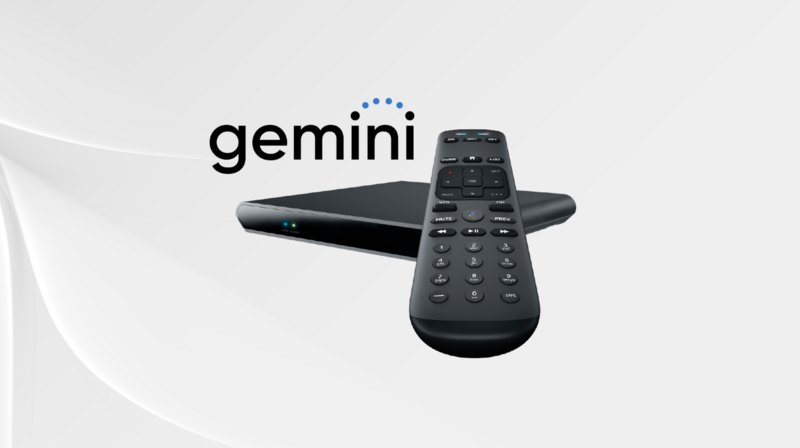
No one wants to be logging in and out of accounts or looking for different remotes to watch a show on a different streaming service. Get the most out of your DIRECTV experience by adding apps directly to your Gemini device.
Your Gemini device comes pre-loaded with popular streaming apps like Max, Netflix and Prime Video. But that’s just the beginning. The Google Play Store has thousands of apps to choose from.
This How To Guide will provide you with step-by-step instructions on how to add apps to your DIRECTV Gemini device.
Try the Gemini Emulator for a first-person demo of all Gemini’s features!
How To Install Apps To Your Gemini Device
One of the best things about DIRECTV is being able to access all your favorite shows, sports and movies all in one place. From Apple TV to AMC+ to Peacock, to Netflix, Pandora and so much more, it’s easy to add your favorite streaming apps to your Gemini device. Just follow the steps below.
- Press the APPS button on your Gemini Voice remote.
- Select Get more apps on Google Play Store.
- Sign in to your Google account. If you’re already signed in, you won’t have to complete this step.
- Search for the app you want to add and select Download.
Third-party apps require a separate subscription to access their content. Once you install the app and are logged in, you’re ready to go.
How To Uninstall Apps From Your Gemini Device
Have an app on your device that you never use or no longer have a subscription for? No problem. Just follow the steps below to uninstall the app.
- Press the APPS button on your Gemini Voice remote.
- Highlight the app you want to uninstall and press the Overflow (…) button.
- Arrow down to Uninstall and press OK on your remote.
And that’s it. The app will now be removed from your device.
It’s important to note that pre-loaded and interactive DIRECTV apps cannot be uninstalled from your Gemini device.
How Many Apps Can You Install on Your Gemini Device?
You can install up to 15 apps on your Gemini Device. This makes it easy to quickly navigate to your favorite streaming service, so you can spend less time browsing and more time watching.
Do More With Your Gemini Device
Finding and watching your favorite content has never been easier with DIRECTV’s Gemini device. From thousands of streaming apps to 4K resolution to our integrated voice remote, there is so much to love about Gemini.
Want to learn more about what you can do with your Gemini device? Check out our All About Your Gemini Device article to ensure you’re taking advantage of all of its features.
Don’t have DIRECTV but want to make the switch? Subscribe today!

Frequently asked questions
What is the DIRECTV Gemini device?
The DIRECTV gemini device is a small TV adapter box that delivers everything from live TV to streaming apps all in one place for the ultimate entertainment experience.
Can I add apps to my DIRECTV?
Yes! Your Gemini device comes preloaded with popular streaming apps like Max, Netflix, Pandora and more. But you can easily add any app you want from the Google Play Store.
What is the Gemini air device?
The Gemini air device is a smaller version of the original Gemini and is used with DIRECTV without a satellite. When you use DIRECTV over the internet and stream, you are provided with a Gemini air device(s). Both devices have very similar functions.
If I have DIRECTV with a satellite can I use a Gemini device?
Absolutely! When you use Gemini with a satellite, not only do you get access to all your favorite apps, but you also get signal saver, which maintains your programming during inclement weather. The Gemini simply switches you over to viewing your programming over the internet until your signal is restored.
DIRECTV Insider brings you our views on what’s happening in streaming, t.v., movies and sports. Companies and persons mentioned are not necessarily associated with and do not necessarily endorse DIRECTV. We will disclose sponsored content on our site when we show it to you, and some of the links on the site may be ads or affiliate links which means DIRECTV may earn compensation from your purchases.