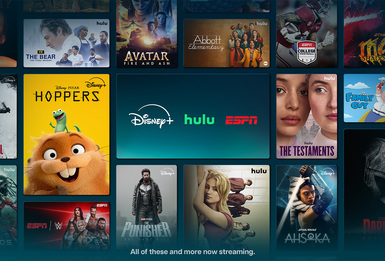
If you’re a DIRECTV streaming customer with a Signature Package and a DIRECTV Gemini device, your setup already goes well beyond live TV. Along with your channel lineup, you also have access to a selection of premium streaming services, included at no extra cost.
Included with your Signature Package:
- Disney+, Hulu Bundle (with ads)
- ESPN Unlimited Plan for ESPN+ originals, live sports and exclusive events
That means Disney+ and Hulu and ESPN are all part of your broader DIRECTV experience. Each one brings something a little different to the table, and getting started is easier than you might expect.
Here’s how it all comes together.
Disney+, Hulu Bundle (with ads)
What you get
The Disney+, Hulu bundle brings together two different and complementary streaming libraries.
On Disney+, you’ll find stories from Disney, Marvel, Pixar, Star Wars and National Geographic. Hulu rounds things out with current TV favorites, full seasons of popular shows, original series and a deep bench of movies. It’s the kind of combination that makes “what should we watch?” a much easier question to answer.
Who can use it
This bundle is available to DIRECTV streaming customers who have:
- A Signature Package
- A DIRECTV Gemini device purchased or leased through DIRECTV*
*Devices purchased from third parties are not eligible.
How to start watching
Getting started is mostly a matter of keeping an eye on your inbox.
- You’ll receive an activation email with a link to set things up
- If you miss it, check your spam folder. Emails are re-sent every seven days if you haven’t activated yet
- You can also sign in to your account and visit Manage TV Package to find the activation link
From there, you’ll be guided through a quick setup on Disney’s site. Once that’s done, sign and start watching. Find Disney+, Hulu and more popular apps preloaded in Featured Apps on Gemini devices.
Good to know
- Your Disney login doesn’t need to match your DIRECTV user ID
- This does not automatically replace any existing Disney+ Hulu Bundle subscription, it must be managed separately.
- Activation only needs to happen once, even if you watch across multiple devices
- Upgrading to an ad-free version through DIRECTV will be available later this year.
ESPN Unlimited through DIRECTV
What you get
For sports fans, the ESPN Unlimited Plan is where things really open up.
You have an all-access pass to the ESPN app which includes ESPN, ESPN2, ESPNU, ESPNEWS, SEC Network, ACC Network and more, along with ESPN+ originals and live events, studio coverage and on-demand replays. That includes major leagues like the NFL, NBA, MLB and NHL, plus college sports, tennis, golf and beyond.
There’s also a lineup of exclusive content, from UFC events and international soccer to PGA Tour coverage and WWE Premium Live Events.
Who can use it
ESPN Unlimited Plan is available across a few different setups, including:
- All streaming customers with a Signature Package with or without a DIRECTV Gemini device
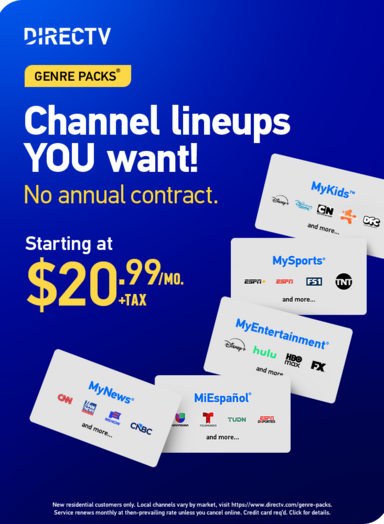
- Customers with MySports® or MySports and MyNews® Duo Genre Packs®
- Satellite customers whose base package includes ESPN
Accounts need to be in good standing.
How to start watching
Find the ESPN app and more popular apps preloaded in Featured Apps on Gemini devices or download the ESPN app on a compatible device with a high-speed internet connection, sign in and you’re ready to go. From there, you can move between live events, highlights and full replays.
Good to know
- Your access is tied to your DIRECTV subscription
- No separate ESPN subscription is required for included content
- If you already subscribe to ESPN separately, it won’t be canceled automatically. You’ll need to cancel it to avoid duplicate charges
Bringing It All Together
Your Signature Package keeps live TV and streaming under one very well-entertained roof. With Disney+ and Hulu, and ESPN Unlimited included there’s a lot to explore!
If you haven’t activated everything yet, it’s worth taking a moment to check your account and get set up. Once you do, all that’s left is deciding what to watch.