

User profiles on DIRECTV via Internet
How to set up and troubleshoot user profiles on Gemini/Gemini Air and the DIRECTV app.

Customers who stream DIRECTV (no satellite dish) can create up to five User Profiles so every member of the family can get the most out of their DIRECTV experience. Sorry, user profiles aren't yet available for DIRECTV satellite customers.
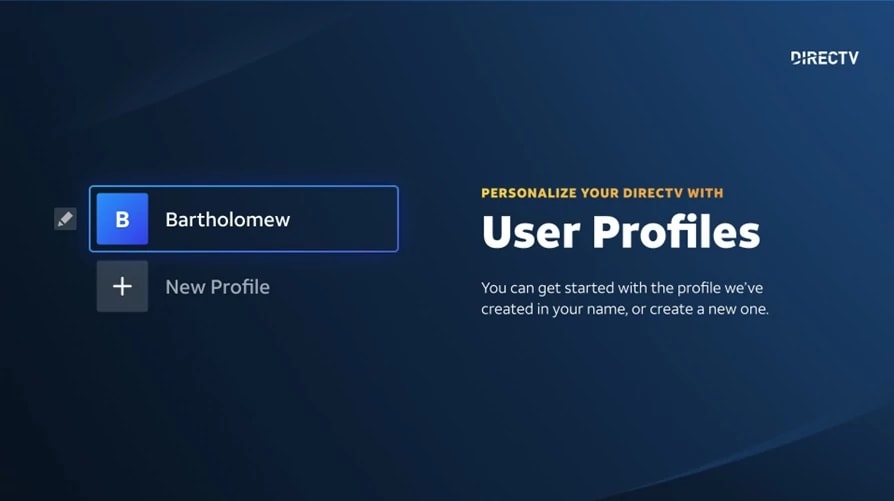
With user profiles, up to five users get personalized access to:
- Favorite and recently watched channels
- Favorite sports teams
- Search history
- Recommendations and notifications
- Recordings and on-demand videos (including pausing and resuming)
- Bookmarks
- Closed caption preferences
User Profiles are a feature on the Gemini/Gemini Air and the DIRECTV app on a compatible device. Note: Samsung TVs support just one profile, but you can still set up multiple profiles on other devices.
How to add a new User Profile
- The primary profile is automatically created for your convenience, adding up to four other User Profiles is easy.
- Click on + New Profile on your screen.
- Enter the profile name.
- Click save or the check mark in the on-screen keyboard.
- You see a confirmation message and return to the main menu where you can select the new profile.
- Note: Kid's profiles are not currently supported, but you can still use parental controls. Your parental controls settings will apply to all profiles, go here to Set up DIRECTV parental controls.
How to edit or remove a User Profile
- The primary profile is permanent and can't be removed but may be edited.
- Click the edit icon next to the avatar you with to edit or remove.
- To edit, enter the new name and click save or the check mark in the on-screen keyboard.
- To remove, select delete profile, acknowledge the warning messages and confirm you want to delete the profile. Any settings and recordings saved by that profile is lost and unrecoverable once it is deleted.
- The ability to edit the avatar is not available at this time.
- Sorry - you cannot lock a profile to prevent it from being edited or deleted (other than the primary profile).
How to switch between User Profiles
- The avatar on the main menu indicates the current User Profile in use.
- To switch to another profile, click on the current avatar to view and select from the User Profile list.
User Profiles and recordings
- When a user sets a recording, that recording is stored in their My Library.
- Recordings cannot be moved to another User Profile.
- To view recordings set by another user you can switch between profiles and then access My Library.
- If a User Profile is deleted the recordings set by the user are permanently lost.
- Note: customers using Samsung TVs with one profile can set up multiple profiles on a different device and everyone's recordings are still displayed under My Library on the Samsung TV.
User Profiles and purchases/rentals
- Purchases or rentals of movies and TV episodes are viewable to all profiles in My Library.
- Each User Profile has personalized recommendations based on what they purchase, rent or watch.
Troubleshooting
- If you see an error notification, follow the directions on your TV screen.
- If that fails, restart your Gemini/Gemini Air device or your DIRECTV app.