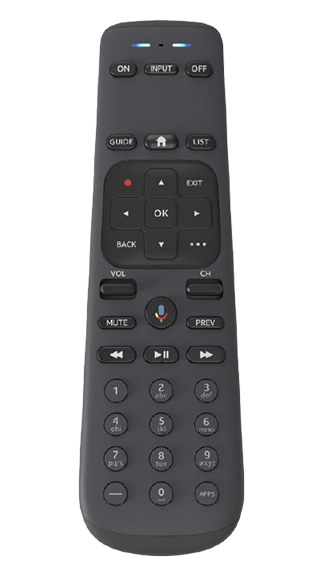
Genie (DIRECTV)
Program your Genie remote control
Learn how to program your Genie remote to control an HDTV and audio devices such as a soundbar.
Go back and choose again
Not your remote?
Program Genie remote for HDTV and other devices
Below is the most common way to program a Genie remote. If these steps don’t work for you, follow the next set of steps to program a remote manually.
- Point the remote at your Genie HD DVR, Genie Mini, or Wireless Genie Mini.
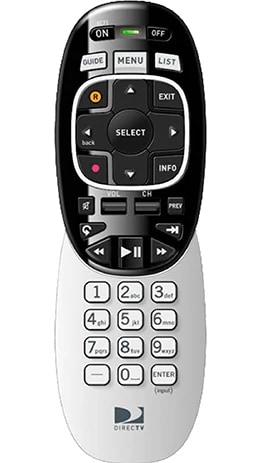
- Press and hold the MUTE and ENTER buttons (not the SELECT button). Stop when the green light at the top of the remote blinks twice.
- When the TV screen displays Applying IR/RF setup, you are in RF mode and ready to program the remote.
- Power on the device you want your remote to control.
- Press MENU on your remote.
- Select Settings > Remote Control > Program Remote.
- Select the device you wish to control with the remote.
- Follow the on-screen prompts to complete programming.
- Point the remote at your Genie HD DVR, Genie Mini, or Wireless Genie Mini.
- Press and hold the MUTE and SELECT buttons while continuing to point the remote at a Genie device. Stop when the green light at the top of the remote blinks twice.
- Use the buttons on your Genie remote to enter code 961.
- Press the channel up button once.
- Press Enter.
- Select OK when the TV screen displays Your Remote is now setup for RF.
- Power on the device you want your remote to control.
- Press MENU on your remote.
- Select Settings > Remote Control > Program Remote.
- Select the device you wish to control with the remote.
- Follow the on-screen prompts to complete programming. The directions vary for different devices.
Heads up: Genie Remotes work best with Genie receivers. If you are trying to program a Genie Remote to a HR2(x) model receiver, it will not work in RF mode. However if the remote is in IR mode, then it will work. IR needs clear line of sight.