Order Now 1-888-777-2454  |  30 million customers strong!*
{ "securedCustomer": false, "autoLoggedIn": false, "pgwsAuthorized": false }
{ "pgwsHost": "edm.dtvce.com", "dotcomHost": "cdn.directv.com", "dotcomSecureHost": "cdns.directv.com", "maxDisplayItems": 6, "zipCode": "26105", "topMatchLabel": "TOP MATCHES:", "emptyTextLookup": {"1": "movies, shows, sports, actors", "2": "directv.com pages", "3": "tech forum, support"}, "kindMapping": {"1": "TV SHOWS", "2": "MOVIES", "3": "PERSON", "4": "CHANNEL", "5": "GENRE", "adult": "ADULT", "sports": "SPORTS"} }
DIRECTV Products
cms2ListModule
cms2ListModule
"Equipment : Remotes : Interactive User Guide : Intro"
  • Take Total Control of Your Television Experience.

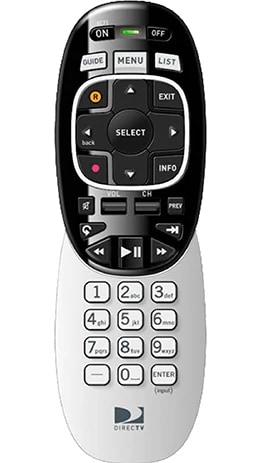
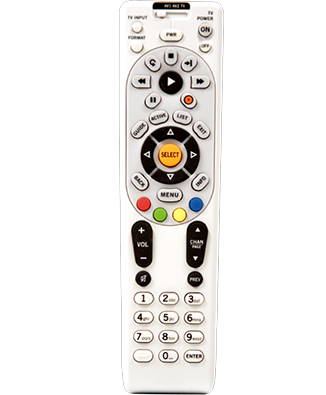
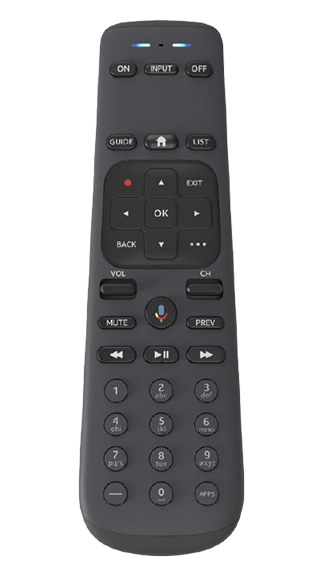
    There's so much more to your DIRECTV remote control than changing the channels. The guide below shows you how to get most from your DIRECTV experience. We start with the basics, but you'll also learn how to use the color and arrow buttons to activate exclusive interactive features like ScoreGuide and TV Apps, play games on GSN Game Lounge, take advantage of exciting new features like Smart Search, and much more. Take a look.
cms2HtmlModule
"Equipment : Remotes : Interactive User Guide : HTML module"
cms2ListModule
"Equipment : Remotes : Interactive User Guide : Closing"
cms2TargetedOrderModule

Get DIRECTV Today

get DIRECTV Get 2 FREE receiver upgrades
Get DIRECTV
Sign In
cms2ListModule
"Equipment : Remotes : User Guide : Glance"

At a Glance

  • Learn all the functions for each button on the remote

  • Get helpful hints on the remote's advanced features

  • Find out how to program your remote

cms2ListModule
"Equipment : Remotes: Interactive User Guide: FAQs"

Top Questions

{ "cmpHostUrl": "http://directv.vo.llnwd.net/e5/" } { cdnBaseUrl: "http://cdn.directv.com" }